Get professional mixing and mastering guidance based on your actual music, directly inside your DAW. AIDIO tells you what to improve and why. It never changes your audio.
No credit card required · macOS & Windows
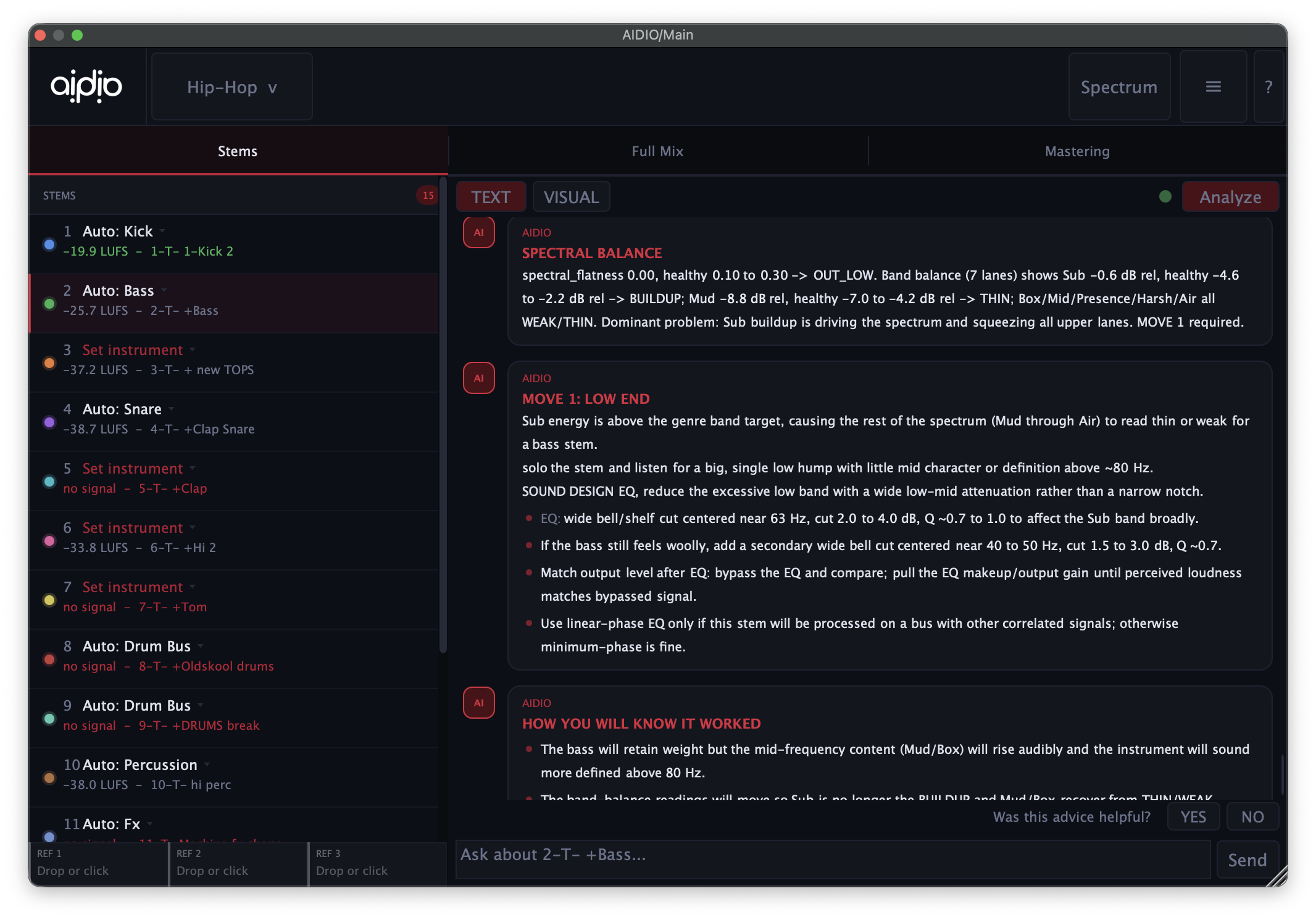
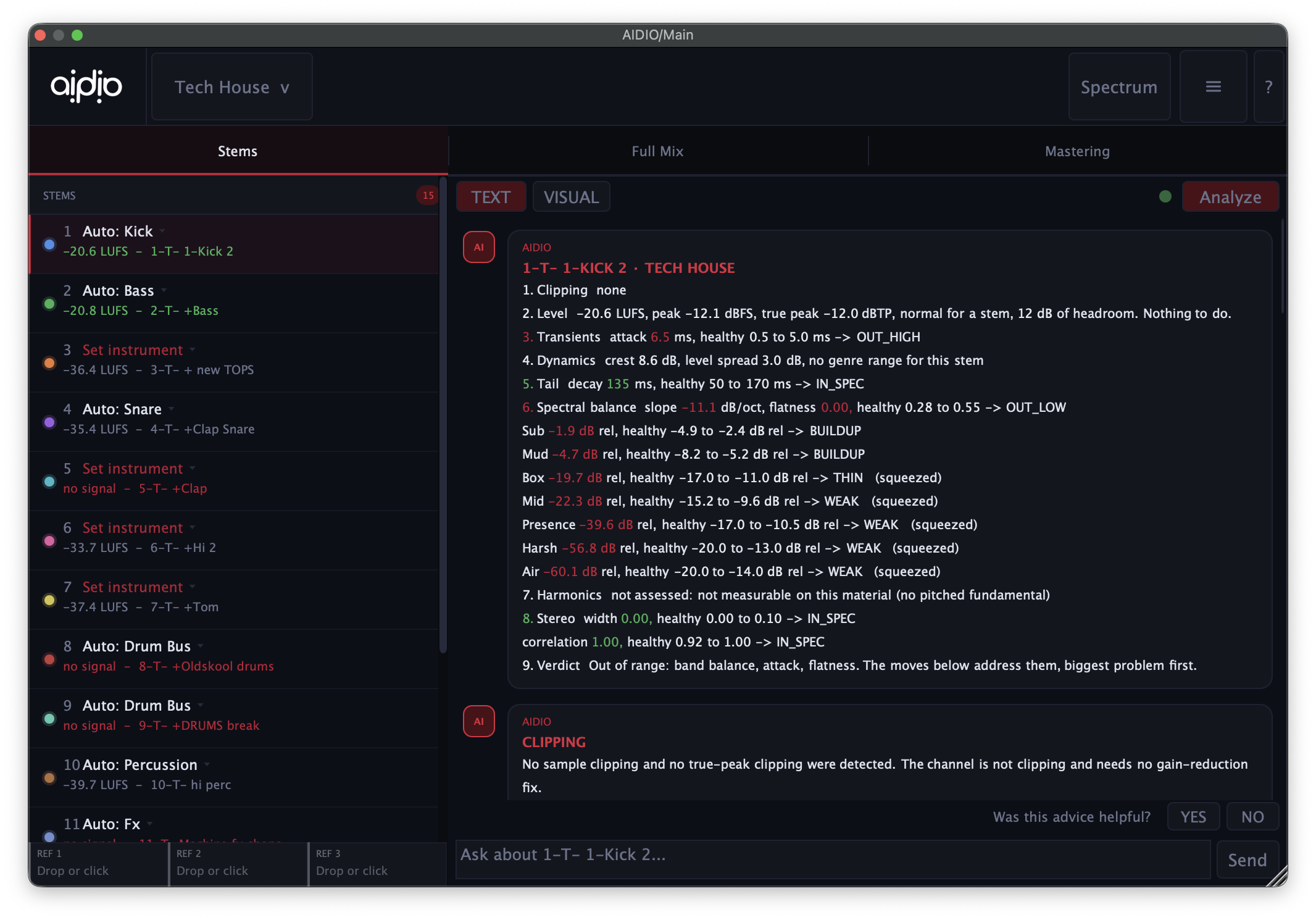
Three modes. Real output. Click any screenshot to see the full analysis.
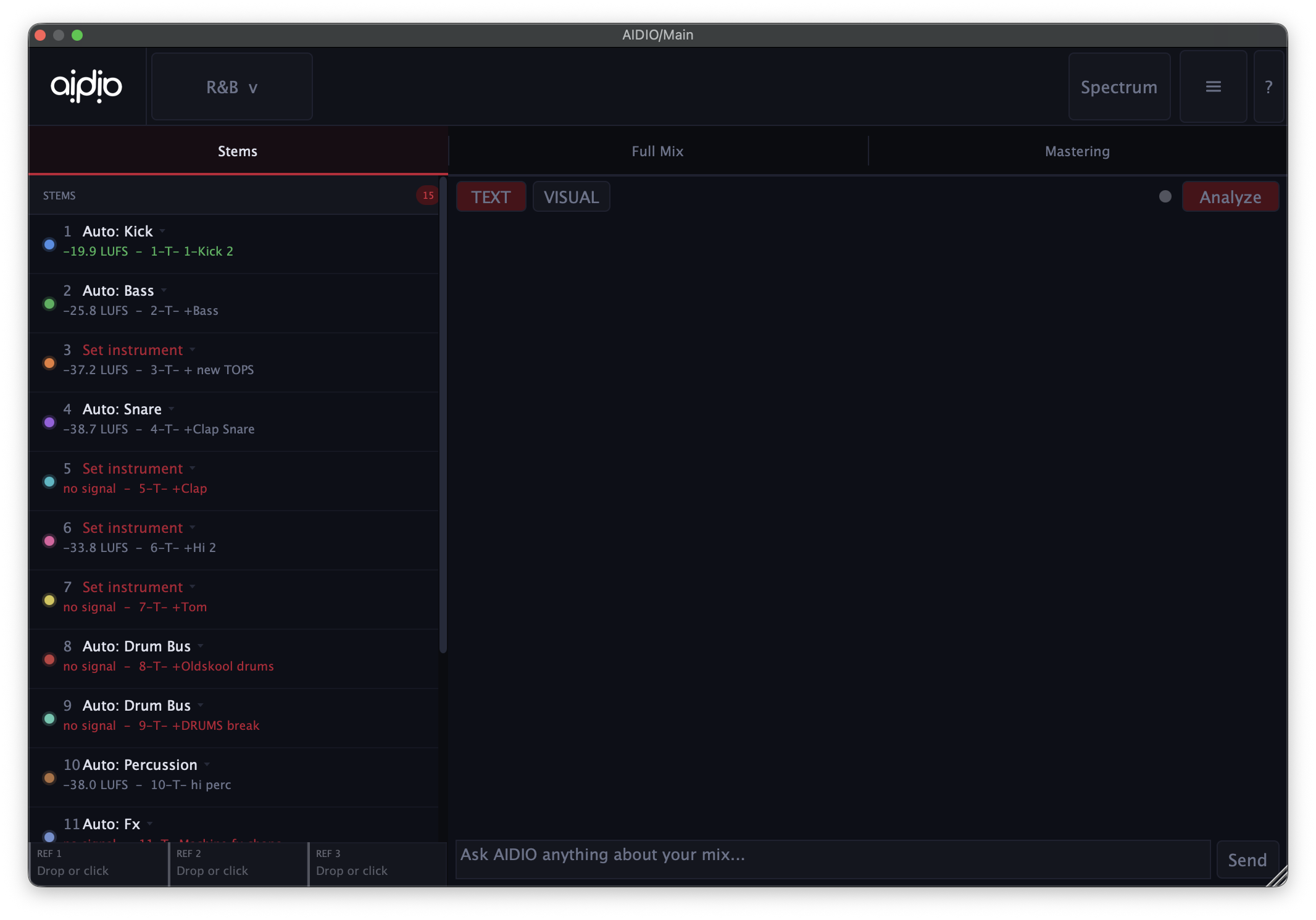
Stems
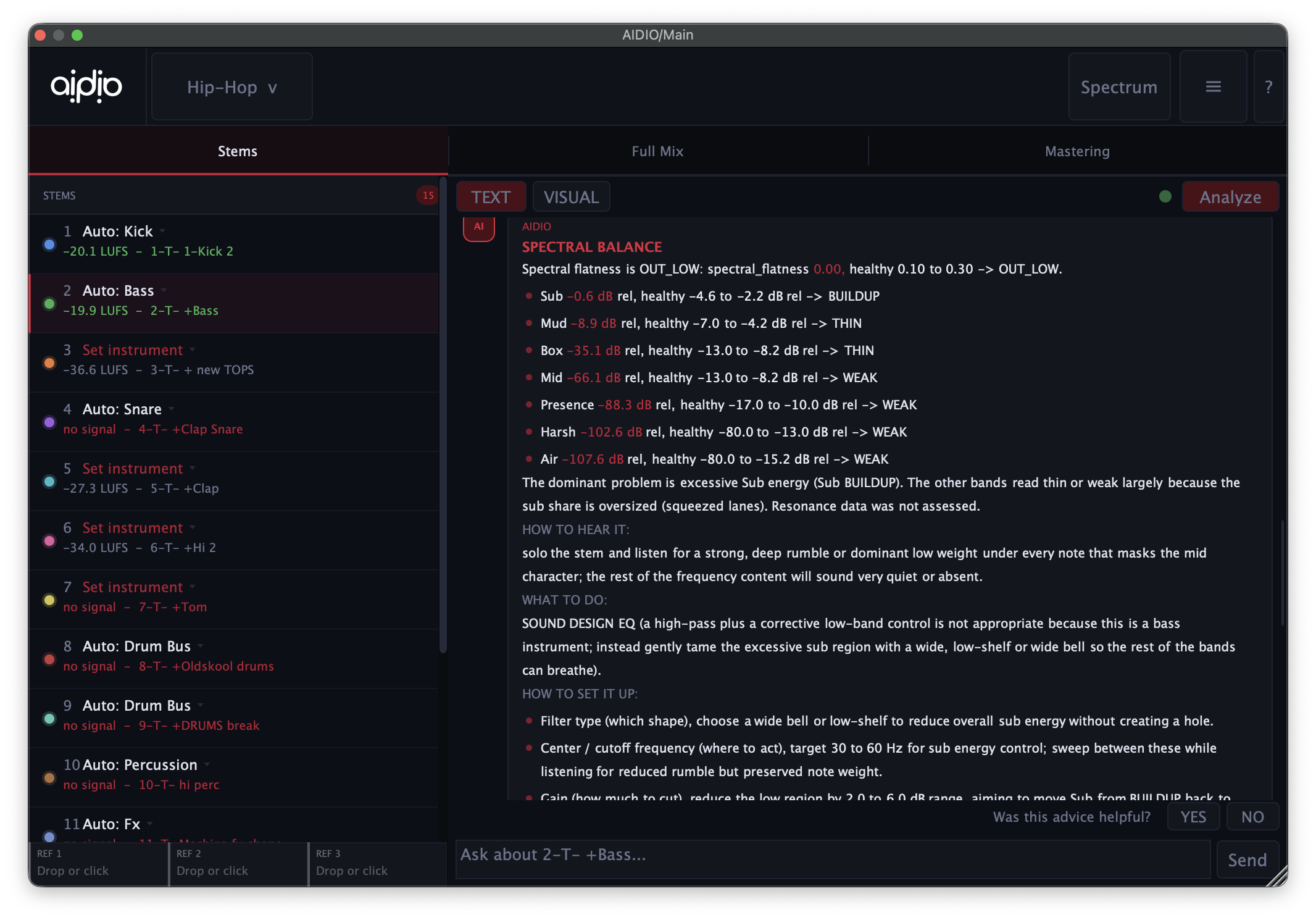
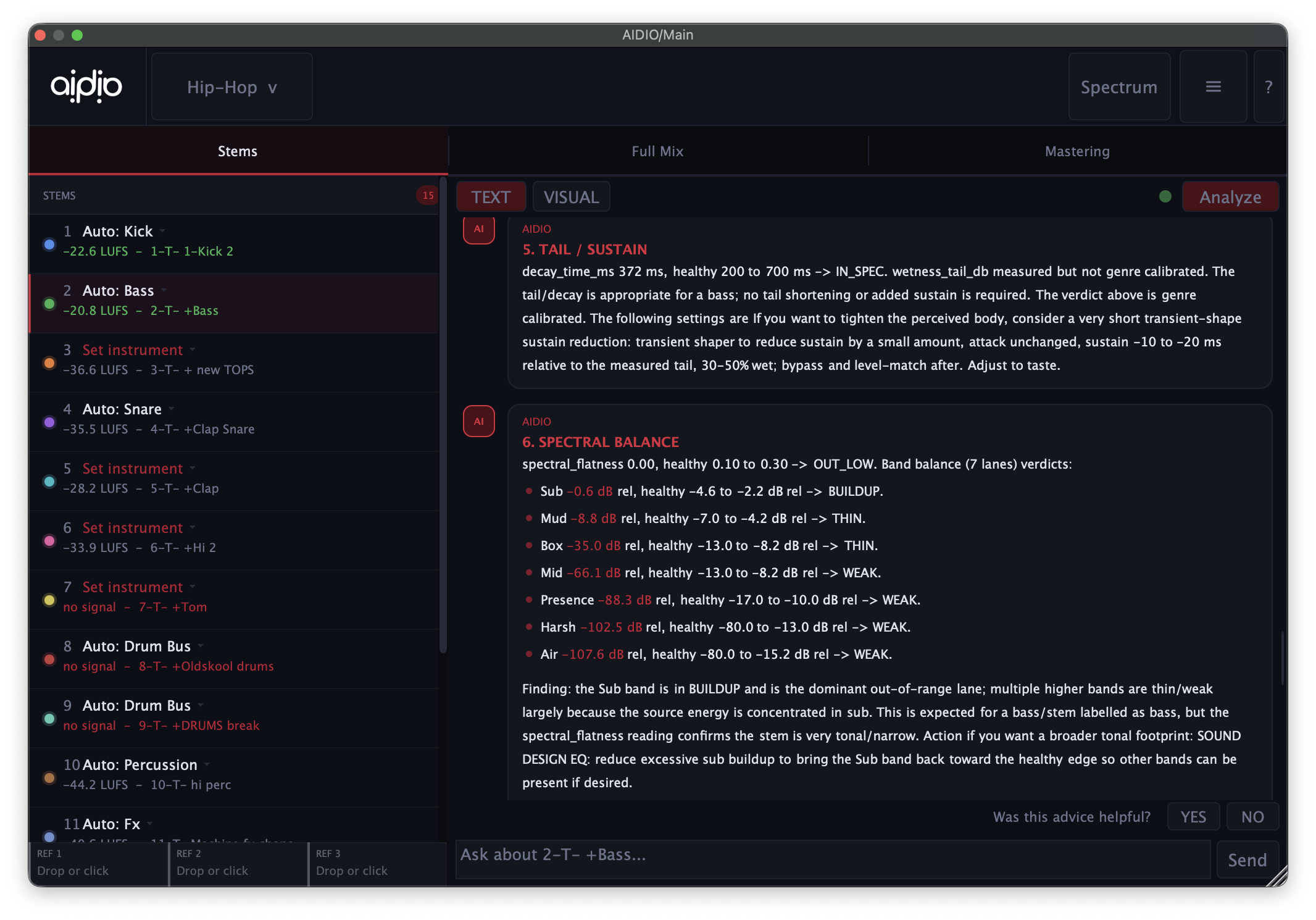
Single stem analysis
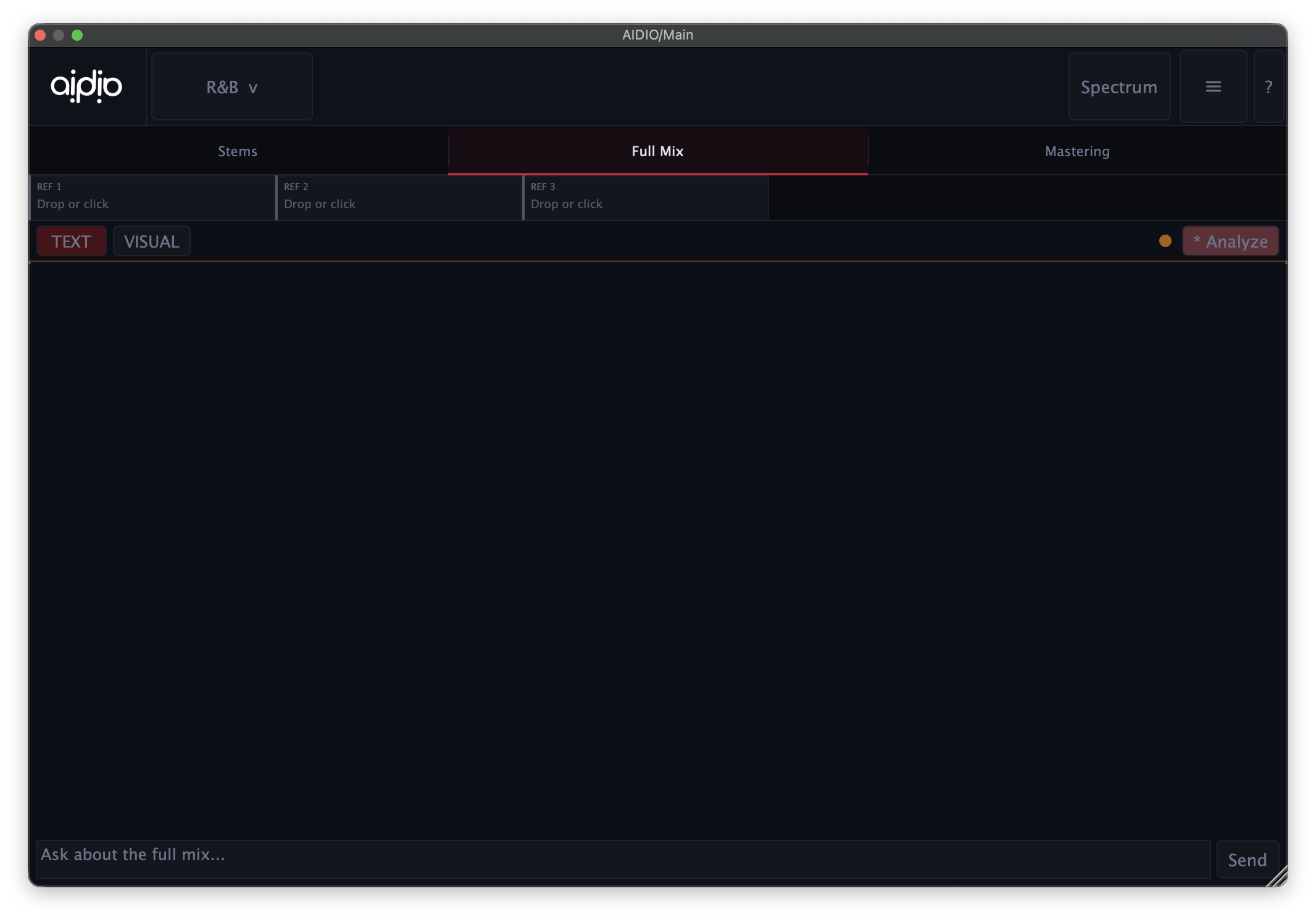
Full Mix
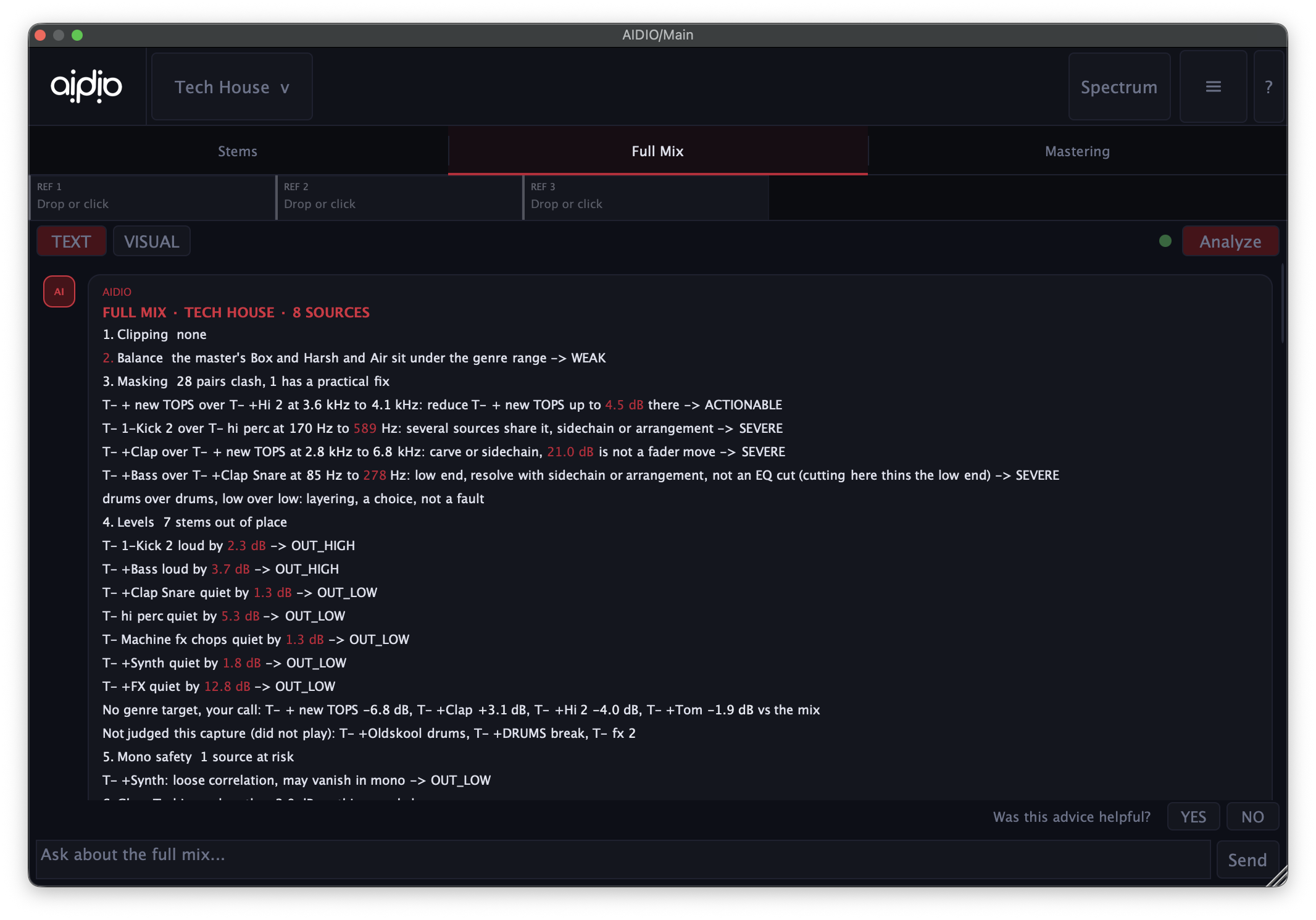
Cross-channel analysis
Mastering Guidance
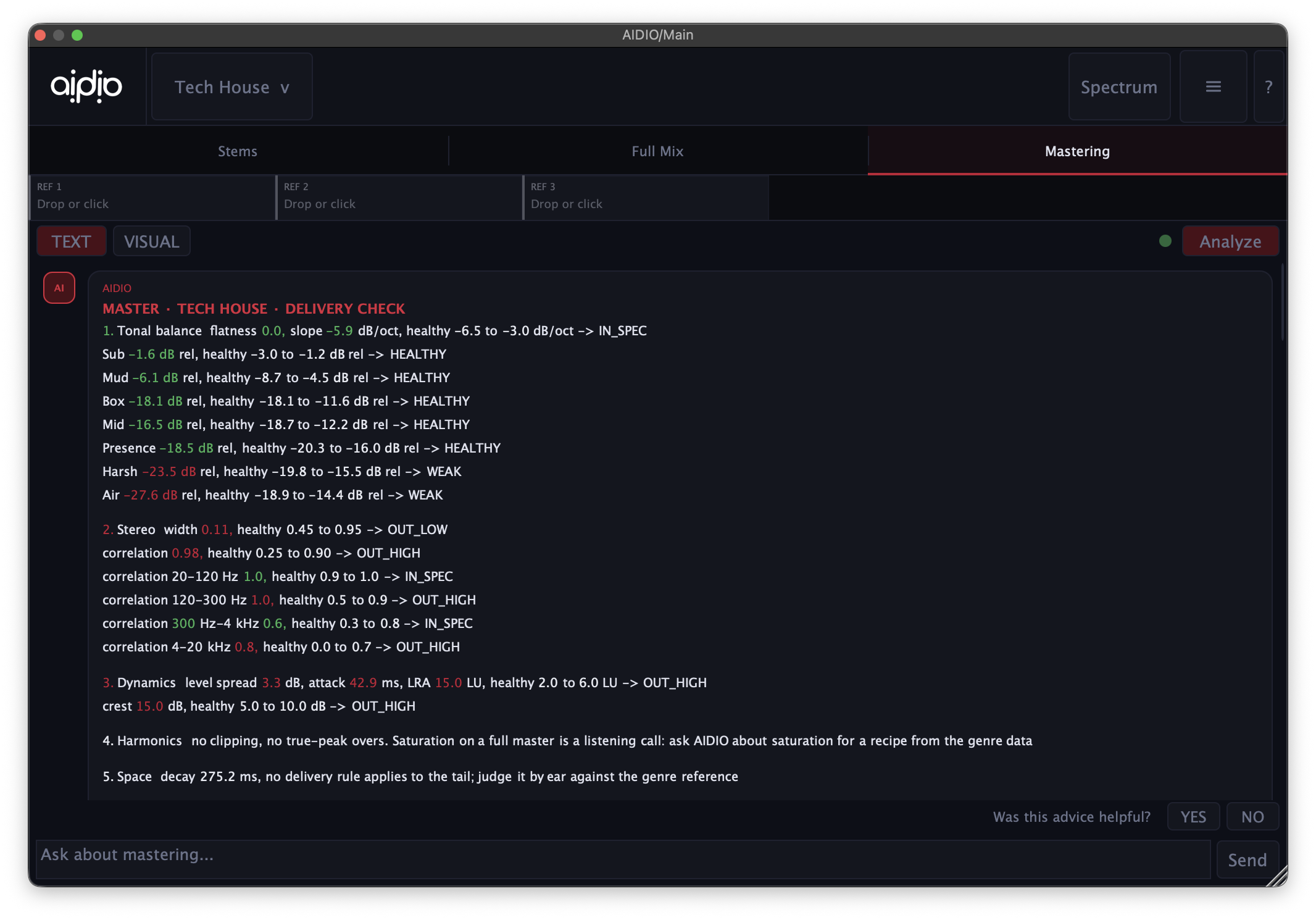
Master bus analysis
Real Tech House session. Beginner mode. Intermediate and Expert give the same analysis in a denser format.
Same bass stem. Same data. The voice adapts to your level, not just simpler words, a completely different way of thinking about the problem.
Plain language. What to hear, what to do, how to set it up. No LUFS, no Q values.
Numbered, technical, genre-calibrated. Specific dB moves with reasoning.
Dense, raw data, moves only. For engineers who want measurements, not explanations.
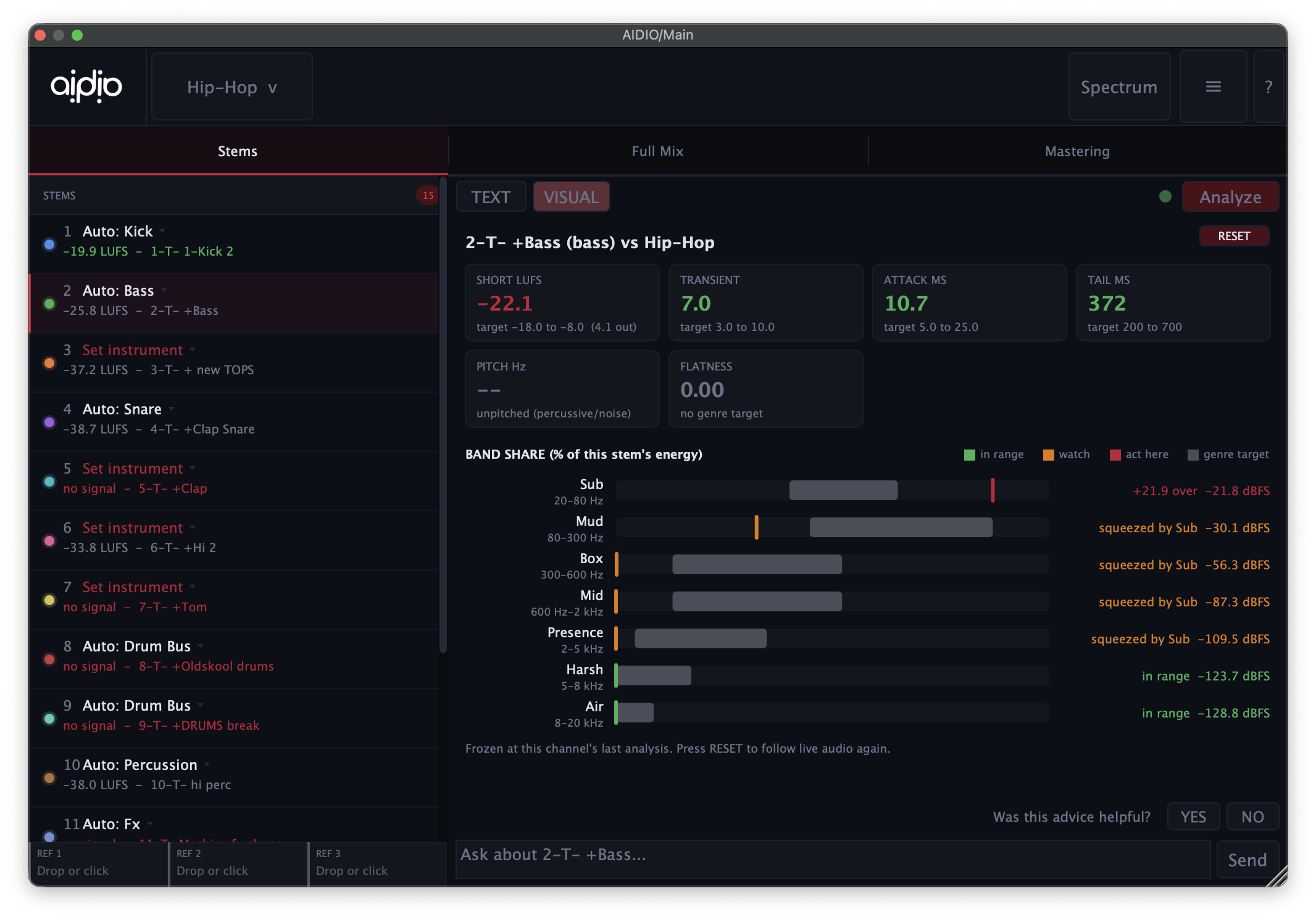
Band Share horizontal bars, see how each frequency range is distributed across your stems.
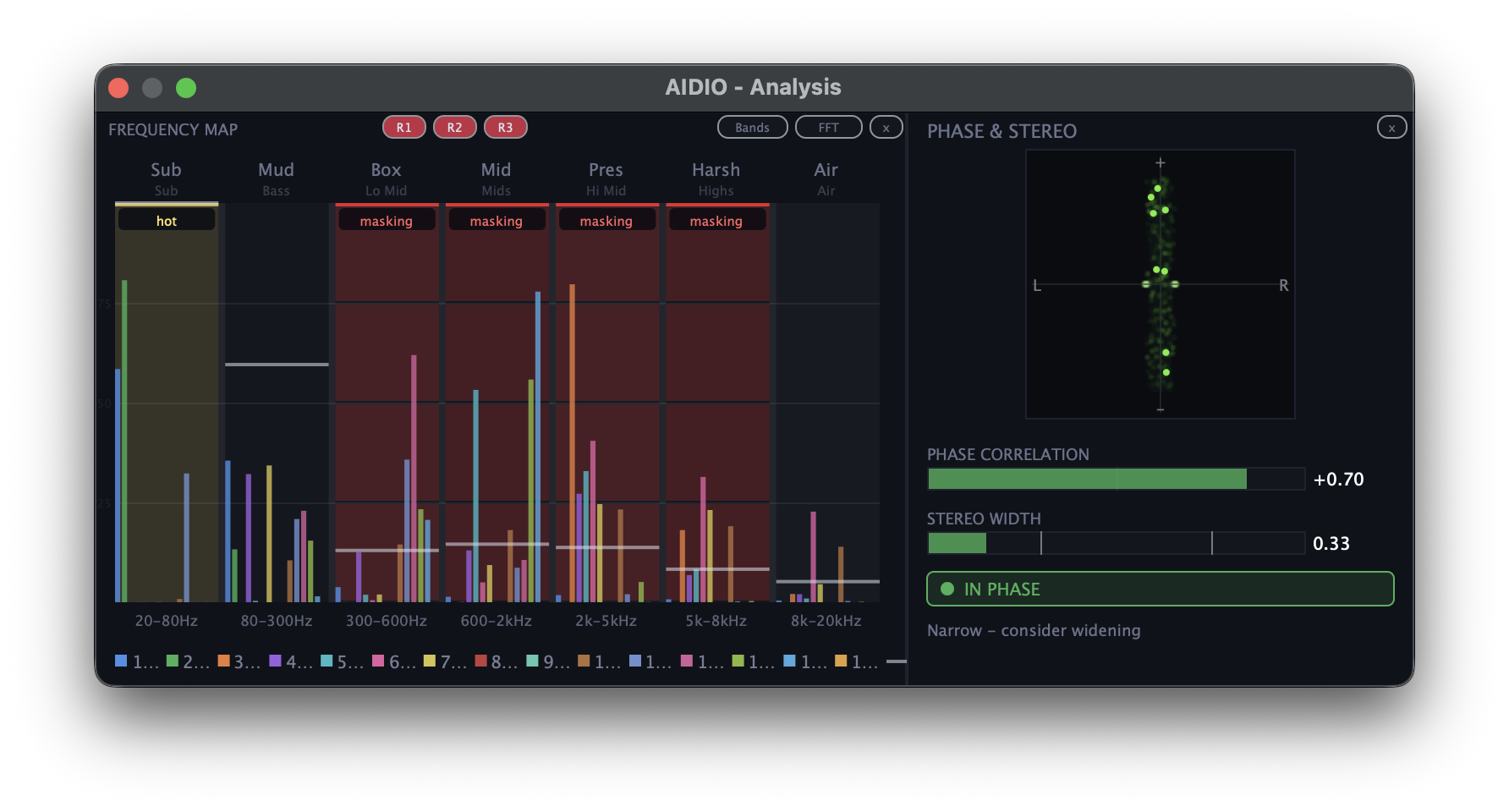
Frequency Map, vertical bars across all stems, showing energy in every band at a glance.
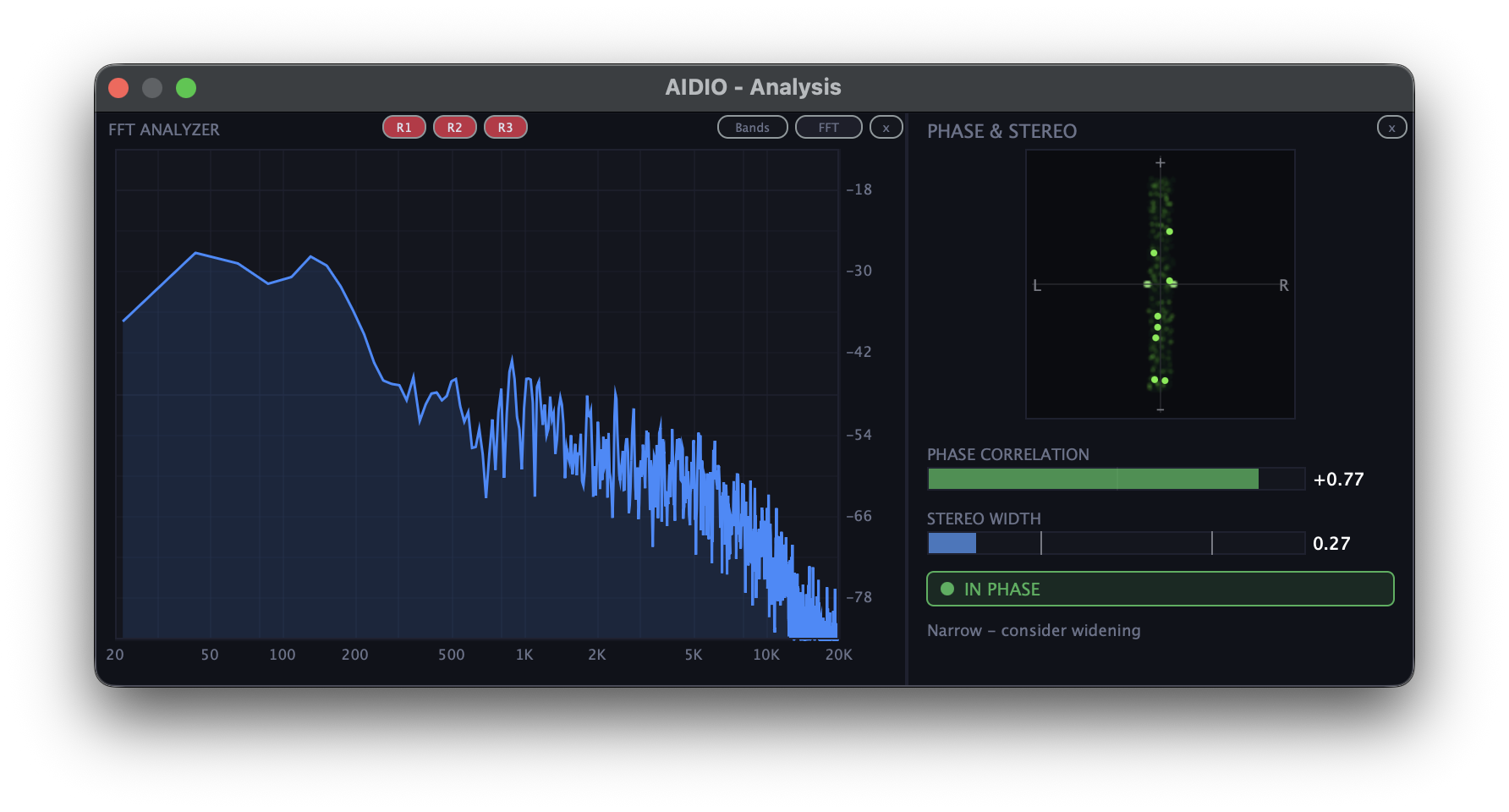
Real-time FFT curve, the classic blue spectrum analyzer for precise frequency identification.
Switch modes any time in settings. All three voices use the same underlying measurement data.
AIDIO is the bridge between measurement and understanding. That's what other tools are missing.
| Capability | Metering plugin | Generic AI chat | AIDIO |
|---|---|---|---|
| Measures your actual audio | ✓ | ✗ | ✓ |
| Explains what to improve | ✗ | Generic only | ✓ |
| Understands your session context | ✗ | ✗ | ✓ |
| Provides specific mixing guidance | ✗ | No real measurements | ✓ |
| Interactive follow-up questions | ✗ | No session data | ✓ |
No new workflow, no exports, no waiting. AIDIO sits in your DAW like any other plugin.
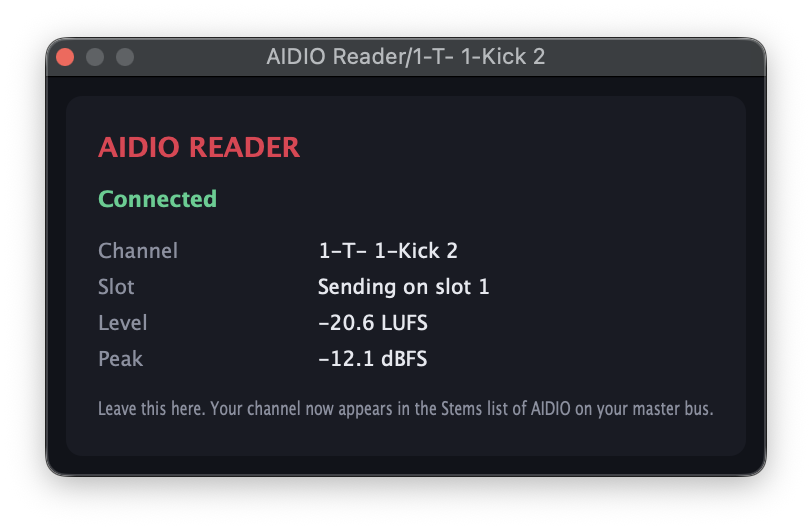
Drop a Reader on each channel you want feedback on. No routing changes, no exports.
AIDIO Main goes on your master bus. Pick your genre. That is setup, done.
Load up to 3 references. AIDIO level-matches before comparing so it never tells you to raise your stems just because the reference is louder.
Hit play. AIDIO listens for 15 seconds, builds a cross-channel report on balance, masking, and level hierarchy.
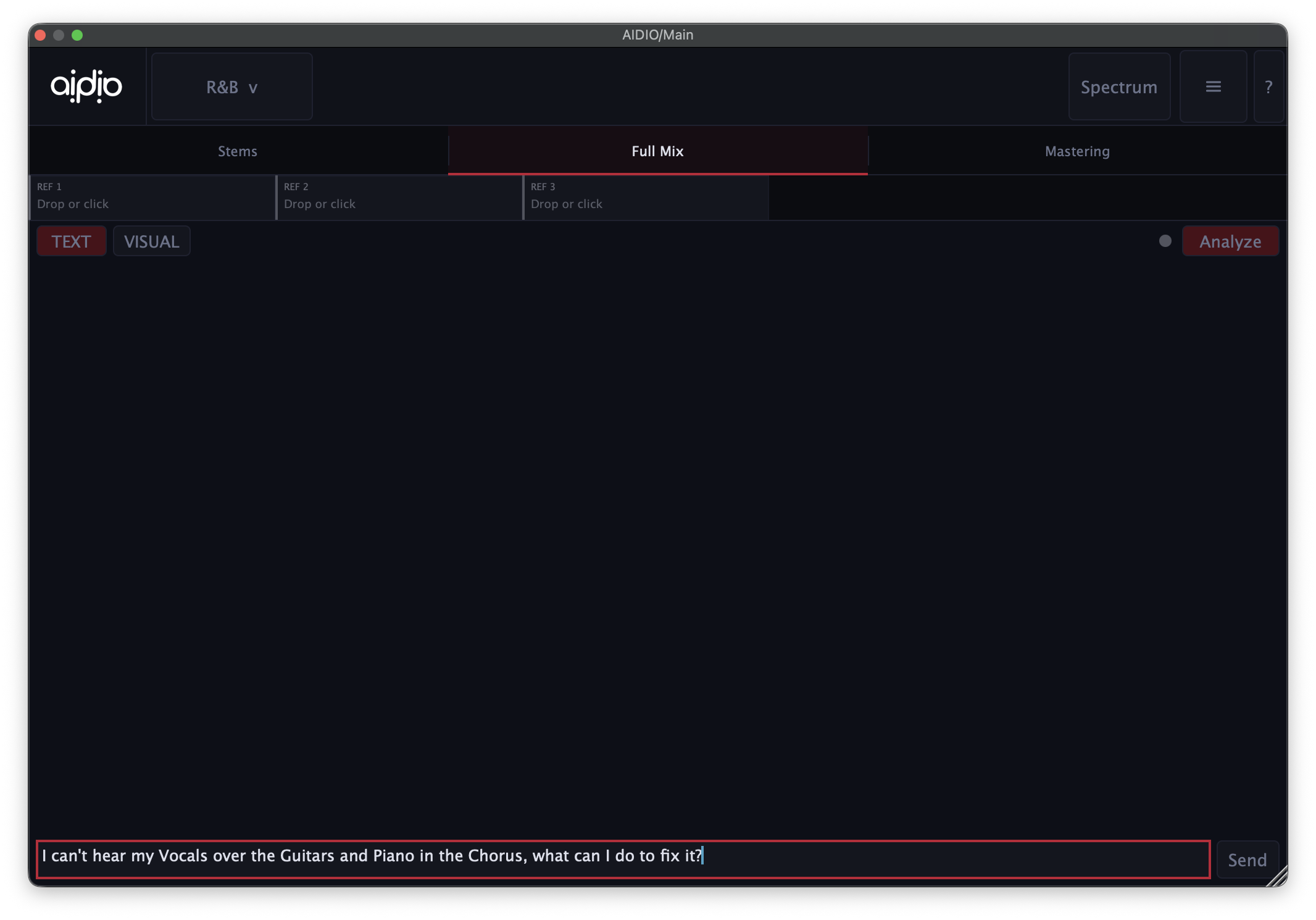
Chat in plain language. Every suggestion comes with bracketed numbers so you know exactly what AIDIO heard and why.
Your audio never leaves your computer. AIDIO analyses your audio locally inside your DAW. Only numerical measurements from your session are used to generate guidance. Paid users can disable the use of their session data for model improvement. Read our privacy policy.
Watch how AIDIO works inside a real DAW session before you install.
AIDIO's cross-stem masking matrix knows which channels are competing, in which frequency band, and by how many dB. The advice is specific: "kick masks bass 80-110 Hz by 5 dB," not a generic tutorial.
Load up to 3 reference tracks. AIDIO normalises loudness before comparing, so it never tells you to raise your stem just because the reference is louder.
Tech House, Hip-Hop, Trap, Pop, Rock, Drum & Bass and more. Every recommendation respects the genre's actual loudness, balance, and stereo image conventions.
Beginner mode explains in plain language. Intermediate talks like a peer. Expert hands you measurements and facts. It's the same engineer throughout, just speaking your language. Switch any time.
Audio analysis runs locally inside your DAW. Only signal measurements, numbers derived from your session, are ever sent. Not a single sample of sound leaves your computer. That's not a policy promise. It's an architecture decision.
Dutch, English, German, and Spanish. Switch in settings at any time. The analysis data is the same, the voice, the phrasing, and the references change to fit the language you work in.
Fifteen years in this industry. Producing, engineering, working alongside world-renowned artists. One thing became clear: the gap between a great idea and a great-sounding record has almost nothing to do with talent.
It comes down to access. To knowledge, to studios, to engineers who've spent years learning what I've spent years learning. Most artists don't have that. And the streaming landscape punishes them for it. A poorly mixed track gets buried no matter how good the music is.
AIDIO exists to close that gap, as an AI mentor for mixing and mastering, not a replacement for the artist's voice. It puts the knowledge of an experienced engineer, and real AI education, directly inside the tool you're already using. Your mix. Your sound. Your call.
From producers and engineers using AIDIO in their sessions.
"It tells me what I could do, not what I have to do. The decision is always mine."
"AIDIO guides my artists through mixing and mastering, so their music sounds right at home and in the club."
"As soon as we made the change, everything had room to breathe, and the second drop hit much harder."
"I was struggling with the kick and bass on this track. AIDIO showed me exactly what to do."
"My drums lacked snap, so I asked AIDIO. It pointed me to a transient shaper."
"This is the future. I did every move AIDIO told me and now it sounds better."
"I ran my final mix through AIDIO and kept adjusting until it said it was good. A great final check when your ears are tired."
Professional guidance based on your actual music, directly inside your DAW. Because AI should make you a better producer, not replace you.
No credit card required · macOS & Windows · VST3 + AU